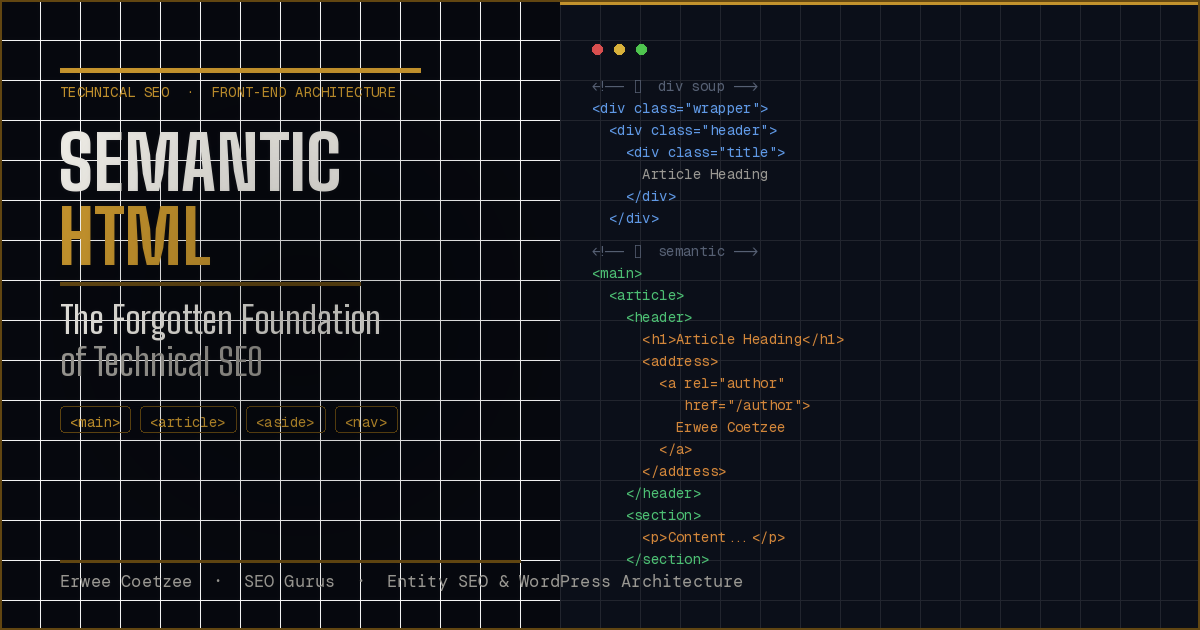
Semantic HTML: The Forgotten Foundation of Technical SEO
A technical deep-dive for senior developers, technical SEOs, and headless CMS architects
There is a particular kind of technical debt that accrues silently — not in broken builds or failing tests, but in the structural assumptions baked into every page rendered to a crawler. The debt is div-soup: the pathological accumulation of non-semantic <div> and <span> wrappers that have become the default output of every drag-and-drop builder, every component library bootstrapped without accessibility in mind, and every CMS theme shipped by a developer who treated markup as scaffolding rather than signal.
The irony is that the HTML5 specification resolved this problem in 2014. The semantic sectioning elements it introduced — <article>, <aside>, <main>, <nav>, <section>, <header>, <footer> — were not cosmetic additions. They were a formal vocabulary for communicating document structure to any automated reader, whether that reader is a screen reader, a search engine crawler, or a large language model performing entity extraction. A decade later, the majority of production codebases treat these elements as optional decorators rather than as the architectural primitives they are.
This guide makes the case — in engineering terms — that semantic HTML5 is not a front-end nicety. It is the pre-processor for Natural Language Processing. It is the prerequisite layer on which Schema markup, entity recognition, and AI-mediated content synthesis all depend.
The Computational Cost of Crawl
Before addressing specific elements, it is necessary to establish the correct mental model for how a crawler — specifically Googlebot, which uses a Chromium-based rendering engine — approaches a page.
Googlebot does not “read” a page the way a human does. It constructs a DOM, applies CSS, executes JavaScript (in a deferred rendering queue), and then performs what Google’s documentation describes as “content extraction.” This extraction process involves two primary tasks: identifying the main content (the primary, indexable signal) and identifying boilerplate (navigation, footers, sidebars, ads, and repeated template elements that appear across multiple pages).
This distinction is foundational. A crawler that cannot cleanly separate main content from boilerplate will either over-index boilerplate (diluting the topical signal of the page) or under-index main content (missing entities and relationships that should contribute to the Knowledge Graph). Both failure modes are expensive — not just in abstract SEO terms, but in literal computational resources.
The cost of crawl is a real operational constraint. Googlebot operates within crawl budgets. Pages that require extensive DOM traversal to locate primary content consume more of that budget and receive a lower “parsability confidence score” in Google’s internal content extraction pipeline. The relationship is direct: the harder you make it for an algorithm to identify your content, the less confidently it indexes you.
Div-soup is the primary driver of parsability cost. When a page’s primary content is wrapped in seven layers of nested <div> elements with class names like wrapper, container, inner-container, content-block, text-module, copy-wrapper, and body-text — all of which carry zero semantic meaning — the crawler must rely entirely on heuristic analysis: font size, text density, link density, DOM position, and visual rendering data. These heuristics are good. They are not perfect.
Semantic HTML eliminates the need for heuristics entirely. It replaces inference with declaration.
DOM Noise vs. Signal: A Code-Level Analysis
The contrast between non-semantic and semantic markup is most instructive when examined at the code level.
Bad HTML: Div Soup
<div class="page-wrapper">
  <div class="header-container">
    <div class="nav-wrapper">
      <div class="nav-inner">
        <div class="logo-wrap"><span>Brand Name</span></div>
        <div class="menu">
          <div class="menu-item"><a href="/about">About</a></div>
          <div class="menu-item"><a href="/services">Services</a></div>
        </div>
      </div>
    </div>
  </div>

  <div class="content-area">
    <div class="article-wrapper">
      <div class="article-header">
        <div class="category-label"><span>Technical SEO</span></div>
        <div class="post-title"><span class="h1-style">Understanding Core Web Vitals</span></div>
        <div class="author-block">
          <span class="author-name">Erwee Coetzee</span>
          <span class="pub-date">12 June 2025</span>
        </div>
      </div>
      <div class="article-body">
        <div class="text-block">
          <div class="paragraph-wrapper">
            <p>Core Web Vitals represent Google's attempt to quantify...</p>
          </div>
        </div>
      </div>
    </div>

    <div class="sidebar">
      <div class="widget related-posts">
        <div class="widget-title"><span>Related Articles</span></div>
        <div class="post-list">
          <div class="post-item"><a href="/post-1">Post One</a></div>
        </div>
      </div>
    </div>
  </div>

  <div class="footer-area">
    <div class="footer-links">
      <div class="link-group"><a href="/privacy">Privacy Policy</a></div>
    </div>
  </div>
</div>
A crawler processing this structure has no declarative information about what any of these elements mean. It must infer that .post-title is the heading, that .article-body is the main content, and that .sidebar is secondary — all through heuristics applied to class names that could mean anything.
Optimised Semantic HTML
<body>
  <header>
    <nav aria-label="Primary Navigation">
      <a href="/" aria-label="Brand Name — Home">Brand Name</a>
      <ul>
        <li><a href="/about">About</a></li>
        <li><a href="/services">Services</a></li>
      </ul>
    </nav>
  </header>

  <main id="main-content">
    <article itemscope itemtype="https://schema.org/TechArticle">
      <header>
        <p><a href="/category/technical-seo" rel="category tag">Technical SEO</a></p>
        <h1 itemprop="headline">Understanding Core Web Vitals</h1>
        <address>
          By <a rel="author" href="/author/erwee-coetzee" itemprop="author">Erwee Coetzee</a>
        </address>
        <time datetime="2025-06-12" itemprop="datePublished">12 June 2025</time>
      </header>

      <section itemprop="articleBody">
        <p>Core Web Vitals represent Google's attempt to quantify...</p>
      </section>
    </article>

    <aside aria-label="Related Articles">
      <h2>Related Articles</h2>
      <ul>
        <li><a href="/post-1">Post One</a></li>
      </ul>
    </aside>
  </main>

  <footer>
    <nav aria-label="Legal Navigation">
      <a href="/privacy">Privacy Policy</a>
    </nav>
  </footer>
</body>
The second structure requires zero heuristic inference. Every element declares its own role. The crawler can instantly prune <nav>, <aside>, and <footer> from the indexable content pool and direct its full NLP processing budget at the <article> body.
HTML5 Sectioning Elements: A Technical Breakdown
<main>: The NLP Entry Point
The <main> element serves a single, unambiguous purpose: it identifies the dominant content of the document. There should be exactly one non-hidden <main> per page. For a crawler’s content extraction pipeline, <main> is the explicit declaration of where indexing should begin.
Without <main>, The crawler must determine the primary content zone through text density analysis. With <main>, the computational step is bypassed entirely. In the context of headless CMS architectures — where component-driven layouts can produce deeply nested output with no obvious content hierarchy — the <main> element is the single most impactful semantic addition available.
<article>: The Independent Entity Container
The <article> element defines a self-contained composition that could, in principle, be distributed independently of the page. A blog post, a product listing, a news report, a forum reply — these are all <article> candidates. The critical word is independent: the content must make sense on its own.
For entity extraction, <article> carries significant weight. When a crawler identifies an <article>, it treats the content within as a discrete semantic unit — a single document with its own topic, authorship, and publication context. The <header> nested within an <article> provides heading and authorship data that is explicitly scoped to that article, rather than to the page at large.
This scoping is the mechanism behind improved entity salience. Consider a name like “Erwee Coetzee” appearing in a <header> inside an <article>. The crawler can contextually infer: this is the author of this article. The same name appearing in a generic <span> anywhere on the page provides no such contextual signal — it is simply a string of text with no declared relationship to the surrounding content.
<aside>: Signalling Secondary Entities
The <aside> element marks content that is tangentially related to the surrounding content but not essential to it. Related posts widgets, pull quotes, contextual advertising, and sidebar modules are all semantically correct uses of <aside>.
From an NLP perspective, <aside> instructs the parser to treat its content as secondary or supplementary. This prevents related-post titles, ad copy, or sidebar navigation from inflating the apparent topical relevance of the page’s main content. In competitive SERP environments, this distinction matters: a page about “technical SEO auditing” whose <aside> links to unrelated content categories should not have those categories factored into its topical entity profile.
<nav> and <footer>: Boilerplate Pruning Signals
Both <nav> and <footer> serve a critical role in algorithmic efficiency: they are explicit boilerplate declarations. When a crawler encounters <nav>, it knows it is processing navigational links — not content. When it encounters <footer>, it knows it is processing metadata, legal copy, and secondary navigation — not content.
The practical implication is link dilution prevention. Navigation menus contain links to every major section of the site. If these links are not marked as navigational boilerplate, their anchor text and destination URLs are processed as content-level signals, diluting the topical focus of the page. Semantic HTML solves this declaratively.
Entity Extraction and Semantic Salience
The relationship between semantic structure and entity salience is best understood through Google’s Natural Language API, which is publicly accessible and directly reflects the NLP pipeline applied to web content.
Salience is the algorithm’s confidence score for how central a given entity is to the document’s primary topic. A score of 1.0 means the entity is the topic. A score of 0.01 means it is mentioned in passing.
Semantic HTML directly influences salience scoring through what can be called positional authority: the structural position of a term within the document hierarchy signals its importance. Text within an <h1> inside the <main> element carries higher salience weight than the same text in a <p> within an <aside>. Text within an <article> <header> is interpreted as defining the article’s primary subject.
This is why wrapping a brand name, a person’s name, or a product in a semantically meaningful context — rather than a generic <div> or <span> — measurably improves entity recognition accuracy. The semantic element is not magic; it provides structural context that the NLP model uses to calibrate confidence.
The connection to Schema markup is architecturally important here. Schema (particularly the @graph implementation discussed in the Brand SERP guide) tells Google what the data is — "@type": "Person", "@type": "Organisation". Semantic HTML tells Google where to find it and how important it is relative to the rest of the document. Both layers are necessary. Schema without clean semantic structure is a label on an unlabelled box. Semantic structure without Schema is a well-organised document with no index.
Accessibility as an Engineering-Grade SEO Signal
The overlap between WCAG compliance and search engine understanding is not coincidental — it is architectural. Both screen readers and search crawlers are automated readers of document structure. Decisions that improve accessibility for the former invariably improve parsability for the latter.
ARIA Roles and Landmark Duplication
ARIA landmark roles (role="main", role="navigation", role="banner", role="contentinfo") were designed to expose document structure to assistive technologies. In the absence of semantic HTML5 elements, they serve as a fallback. However, in the presence of semantic HTML, they are redundant — <main> implicitly carries role="main", <nav> carries role="navigation".
The engineering rule is straightforward: native HTML semantics are always preferable to ARIA overrides. ARIA should extend semantics where HTML has no equivalent, not replicate semantics that HTML already provides.
<!-- Redundant — avoid this -->
<div role="main">...</div>

<!-- Correct — native semantics, no ARIA required -->
<main>...</main>

<!-- Legitimate ARIA extension — no native HTML equivalent -->
<section aria-label="Product Comparison Tool">...</section>
aria-label for Disambiguation
Where multiple instances of the same element appear on a page — such as multiple <nav> elements — aria-label provides the disambiguation that both screen readers and crawlers need to distinguish between them.
<nav aria-label="Primary Navigation">...</nav>
<nav aria-label="Breadcrumb Navigation">...</nav>
<nav aria-label="Footer Legal Navigation">...</nav>
Each labelled <nav> is processed as a distinct navigational context, preventing anchor text from one navigation context from bleeding into another’s signal.
The Shadow DOM, Hydration, and the CSR Problem
Modern JavaScript frameworks — React, Vue, Next.js, Nuxt — introduce a structural risk that is frequently underestimated in technical SEO audits: the loss of semantic intent during client-side rendering and hydration.
The problem is two-fold.
First, component libraries built for React or Vue often abstract HTML elements behind component names. A <Button> component may render as a <div> with click handlers. A <Card> component may wrap content in nested <div> elements with no semantic equivalent. The developer interacts with a component API and never confronts the output HTML — which is frequently non-semantic.
Second, Shadow DOM encapsulation — used heavily in Web Components and some micro-frontend architectures — creates subtrees that are, by specification, isolated from the main document. Googlebot’s rendering engine has improved its ability to traverse open Shadow DOM, but closed Shadow DOM and deeply nested shadow roots remain a parsability risk. Content within an unindexed shadow root is effectively invisible to entity extraction.
Semantic Preservation in React/Next.js
// Non-semantic component output — avoid
const ArticleCard = ({ title, author, body }) => (
  <div className="card">
    <div className="card-header">
      <div className="card-title">{title}</div>
      <div className="card-author">{author}</div>
    </div>
    <div className="card-body">{body}</div>
  </div>
);

// Semantically correct component output
const ArticleCard = ({ title, author, body, datePublished }) => (
  <article>
    <header>
      <h2>{title}</h2>
      <address>
        By <a rel="author" href={`/author/${author.slug}`}>{author.name}</a>
      </address>
      <time dateTime={datePublished}>{formatDate(datePublished)}</time>
    </header>
    <section>{body}</section>
  </article>
);
The engineering discipline required here is a component-level HTML audit — reviewing rendered output, not source JSX — as part of the standard development workflow. Tools like axe-core, Google’s Lighthouse accessibility audit, and the Chrome DevTools accessibility tree all surface semantic element issues in rendered output.
Server-Side Rendering as a Semantic Guarantee
For crawlability, Server-Side Rendering (SSR) and Static Site Generation (SSG) are categorically preferable to pure Client-Side Rendering. With SSR/SSG, the semantic HTML structure is present in the initial HTTP response — before JavaScript executes. Googlebot’s deferred rendering queue means CSR content may be indexed with a lag or at a lower confidence level than server-rendered content. For entity-critical pages (homepage, About page, product pages), SSR is a non-negotiable baseline.
Schema Markup and Semantic HTML: The Dual-Layer Architecture
Schema markup and semantic HTML are not competing systems. They operate at different layers of the same architecture and are most effective when both are implemented correctly.
Schema (JSON-LD, Microdata, or RDFa) operates as a machine-readable annotation layer. It explicitly declares the type, name, and relationships of entities on the page. A correctly implemented @graph block can describe an Organisation, link it to its founders via Person entities, declare its social profiles via sameAs, and establish its industry vertical — all in a structured format that Google’s Knowledge Vault can ingest directly.
Semantic HTML operates as the document architecture layer. It declares the structural role of every content block: what is the main content, what is supplementary, what is navigational boilerplate, where the article begins and ends, who authored it, and when it was published.
Schema without semantic HTML is possible, but suboptimal. The annotated entities float in a structurally ambiguous document, and the NLP pipeline must still apply heuristics to locate and contextualise the content the Schema describes. Semantic HTML without Schema is structurally clean but semantically opaque — the parser knows where the content is and roughly what it is, but lacks the explicit entity typing that feeds Knowledge Graph confidence.
The optimal architecture is both: a <main> element enclosing an <article> with a nested <header>, supported by a JSON-LD @graph block in the <head> that explicitly types the page as a TechArticle, links its author to a Person entity, and declares its publisher as the Organisation entity. Each layer reinforces the other.
Semantic HTML Performance Audit: Developer Checklist
This checklist is designed as a diagnostic instrument for identifying semantic deficiencies in production codebases. It is intended for developers conducting pre-launch audits or ongoing technical SEO reviews.
I. Document Structure Integrity
- [ ] Exactly one
<main>element present and non-hidden per page - [ ]
<header>used as the page-level banner (containing site logo and primary nav) - [ ]
<footer>used for site-wide metadata, legal links, and secondary navigation - [ ] No
<div role="main">or equivalent ARIA substitution in place of native<main> - [ ] Heading hierarchy is sequential and unbroken (
<h1>→<h2>→<h3>) with no skipped levels
II. Content Sectioning
- [ ] Primary editorial content is wrapped in
<article>where it represents an independent composition - [ ] Each
<article>contains a scoped<header>with at minimum an<h1>or<h2>and authorship data - [ ] Sidebar content, related posts, and advertising are wrapped in
<aside>with descriptivearia-label - [ ]
<section>elements are used only where a heading would logically introduce the section (not as a generic wrapper) - [ ]
<figure>and<figcaption>are used for all content-critical images and diagrams
III. Navigation Semantics
- [ ] All navigational link groups are wrapped in
<nav> - [ ] Multiple
<nav>elements on the same page each carry a uniquearia-label - [ ] Breadcrumbs are implemented as
<nav aria-label="Breadcrumb">withBreadcrumbListSchema markup - [ ] Navigation links do not carry content-level anchor text that should be reserved for editorial links
IV. Authorship and Temporal Signals
- [ ] Author bylines use
<address>within<article>context (not globally in<body>) - [ ] Publication dates use
<time>with a machine-readabledatetimeattribute in ISO 8601 format - [ ] Author links use
rel="author"attribute to signal authorship relationship
V. Component and Framework Output
- [ ] Rendered HTML (not source JSX/Vue templates) has been audited for non-semantic
<div>and<span>overuse - [ ] Component library elements render native semantic HTML, not ARIA-attributed
<div>elements - [ ] Shadow DOM usage has been audited; content-critical elements are not encapsulated in closed shadow roots
- [ ] All interactive non-button elements that trigger actions use
<button>(not<div onClick>)
VI. ARIA and Accessibility Overlap
- [ ] ARIA roles are not used where native HTML elements provide the equivalent semantic
- [ ] All images have descriptive
altattributes; decorative images have emptyalt="" - [ ] Form inputs are associated with
<label>elements viafor/idpairing - [ ] Page has been tested against axe-core or equivalent automated accessibility audit with zero critical violations
VII. Schema and Semantic Alignment
- [ ] JSON-LD
@graphblock is present in<head>for entity-critical pages - [ ]
@typedeclarations in Schema correspond to the semantic HTML structure (e.g.,TechArticleSchema aligns with<article>in the DOM) - [ ]
sameAsproperties in Organisation Schema link to verified social profiles also present in the HTML<head>as canonical social links
Conclusion
The front-end engineering community has spent a decade treating semantic HTML as an accessibility concern — important for some audiences, optional for others. This framing has produced an entire generation of codebases that are structurally illegible to automated readers.
Search engines are not peripheral consumers of HTML. They are the primary non-human readers of every page published to the web. The computational cost of parsing structurally ambiguous markup is borne by the crawler, but the consequence of that cost — reduced crawl frequency, lower entity extraction accuracy, weaker Knowledge Graph confidence — is borne by the organisation that published it.
Semantic HTML5 is the lowest-cost, highest-leverage intervention available in technical SEO. It requires no third-party tools, no plugin dependencies, no API calls. It requires only that developers write HTML that means what it says — and that technical architects enforce that discipline as a non-negotiable standard in every codebase they oversee.
Clean code is not an aesthetic preference. It is the foundation on which every subsequent layer of technical SEO — Schema markup, entity corroboration, Knowledge Panel acquisition, AI synthesis accuracy — depends.
Frequently Asked Questions
What is semantic HTML in technical SEO?
Semantic HTML refers to HTML elements that describe the purpose and meaning of content, rather than merely controlling layout or styling. Elements such as <header>, <nav>, <main>, <article>, <section>, and <footer> communicate the structural intent of a page to both browsers and search engines.
From a technical SEO perspective, semantic HTML improves machine interpretation of document structure, helping search engines understand where the primary content lives, how information is organised, and how different parts of the page relate to each other.
In other words, semantic HTML turns a page from a visual layout into a structured document that machines can interpret reliably.
Why does semantic HTML matter for search engines?
Search engines do not see a page the way a human user does. They parse the DOM and attempt to interpret structure, hierarchy, and contextual relationships between elements.
When semantic HTML is used correctly, it provides strong structural signals about:
- Primary content vs supporting content
- Navigation areas
- Document hierarchy
- Content sections and topical groupings
This reduces ambiguity during crawling and indexing, allowing search engines to interpret the logical architecture of the page rather than relying purely on heuristics.
Is semantic HTML a direct Google ranking factor?
Semantic HTML should not be viewed as a standalone ranking factor in the same category as backlinks or page experience signals.
Instead, it functions as a foundational technical signal that supports several critical systems within modern search engines, including:
- Document parsing
- Content extraction
- Accessibility interpretation
- Structured content understanding
While semantic HTML alone will not cause rankings to jump, poorly structured markup can create interpretation friction that weakens how clearly search engines understand a page.
What is the difference between semantic and non-semantic HTML?
Non-semantic markup relies heavily on generic containers such as <div> and <span> that carry no inherent meaning about the content they contain.
For example:
<div class="top-section">
<div class="nav-links">
<div class="main-content">
Machines must infer the meaning of those containers through heuristics.
Semantic markup replaces those containers with elements that explicitly define their role in the document:
<header>
<nav>
<main>
<article>
<section>
<footer>
This allows both browsers and search engines to understand the purpose of each region immediately.
Which semantic HTML elements are most important for SEO?
The most strategically useful semantic elements for search engines include:
<header>
Defines introductory content or navigation for a page or section.
<nav>
Identifies navigational links that help users move around the site.
<main>
Indicates the primary content of the page — a critical signal for content extraction.
<article>
Represents self-contained content such as blog posts or news articles.
<section>
Organises thematic groupings within a page.
<aside>
Marks supplementary or tangential content such as sidebars.
<footer>
Defines closing content, typically containing metadata, navigation, or contact information.
Together, these elements help create a clear structural map of the page.
How does semantic HTML improve accessibility?
Semantic HTML is not only valuable for search engines — it is also essential for assistive technologies such as screen readers.
Screen readers rely heavily on semantic elements to understand page structure and provide meaningful navigation cues to users.
For example, semantic markup allows assistive technologies to:
- Jump directly to the main content
- Navigate between sections
- Identify navigation menus
- Interpret headings correctly
Because modern search engines share similar parsing principles with accessibility tools, accessibility improvements often align closely with SEO improvements.
Does semantic HTML still matter in the era of AI search?
Yes — arguably more than ever.
AI-driven search systems, answer engines, and large language models increasingly rely on cleanly structured content when extracting information from the web.
When a page uses semantic HTML effectively, it becomes easier for machines to identify:
- The primary topic
- Supporting sections
- Hierarchical relationships between ideas
- Extractable content blocks
In this sense, semantic HTML functions as part of the machine-readable architecture of the web, making content easier to interpret, summarise, and cite.
Should semantic HTML replace structured data?
No. Semantic HTML and structured data serve different but complementary roles.
Semantic HTML defines the structural meaning of the document itself, while structured data (Schema.org) provides explicit machine-readable facts about entities.
Think of it this way:
- Semantic HTML → document structure
- Structured data → entity relationships
The strongest technical SEO implementations combine both approaches to maximise clarity for search engines.
About the Author
Erwee Coetzee is the founder of SEO Gurus, a technical SEO consultancy focused on helping organisations build durable search visibility through strong digital architecture and entity-based optimisation.
A digital strategist and SEO practitioner since 2012, Erwee specialises in the intersection of technical performance, semantic search, and scalable web infrastructure. His work focuses on designing search ecosystems where websites, brands, and individuals are recognised by search engines as authoritative entities rather than isolated pages.
His areas of specialisation include:
Entity SEO
Engineering Knowledge Graph presence for organisations and individuals through structured data, corroboration signals, and semantic brand architecture.
Technical Performance Optimisation
Designing fast, resilient websites that meet modern Core Web Vitals standards and support large-scale search visibility.
WordPress Digital Architecture
Building technically robust WordPress environments optimised for crawlability, scalability, and high-conversion user experiences.
Through SEO Gurus, Erwee works with businesses to transform their websites into search-native digital assets capable of competing in an AI-driven discovery ecosystem.
This article is part of an ongoing technical series on Entity SEO, Semantic Architecture, and Brand SERP Optimisation.